Cosmic Trade App Kaise Install Karein? Step-by-Step Guide
Agar aap India mein crypto trading start karna chahte hain aur ek aise platform ki talash mein hain jo INR mein direct trading allow kare — toh Cosmic Trade Exchange aapke liye ek solid option ho sakta hai.
Is article mein hum aapko step-by-step batayenge ki Cosmic Trade app kaise download aur install karein — bilkul beginner-friendly tarike se, seedha Google Play Store se.
Cosmic Trade Exchange Kya Hai?
Cosmic Trade ek mobile-first crypto trading platform hai jo Eclipton Technologies Private Limited ne banaya hai jo ek FIU-Registered Indian fintech company.
Is app ki khaasiyat yeh hai ki yahan aap cryptocurrency perpetual futures trade kar sakte hain — aur woh bhi directly INR (Indian Rupees) mein. Matlab na dollar conversion, na USDT ka jhanjhat.
App ki Key Features:
- ✅ Perpetual Futures Trading — BTC, ETH aur doosre major crypto pairs
- ✅ INR-Based Access — Seedha Indian Rupees mein deposit aur withdrawal
- ✅ Real-Time Charts — Live market data aur advanced charting tools
- ✅ Fast Order Execution — Mobile ke liye optimized, low-latency trading
- ✅ Secure Login — Account protection ke saath safe environment
- ✅ Portfolio Tracking — Apna portfolio ek jagah manage karein
Google Play Store par is app ki rating 4.9 stars (22 reviews) hai — aur users ne smooth withdrawals aur clean UI ki khaas tarif ki hai.
App Install Karne Se Pehle — Zaruri Requirements
Install karne se pehle yeh cheezein ready rakhein:
| Requirement | Detail |
|---|---|
| Device | Android Smartphone (Android 5.0+) |
| Internet | Wi-Fi ya Mobile Data |
| Storage | 30–50 MB free space |
| Account | Google Play Store ka Gmail account |
| KYC Ke Liye | Valid Indian mobile number |
Note: Abhi tak Cosmic ka iOS version Apple App Store par available nahi hai. Sirf Android users ke liye Google Play par listed hai.
Cosmic Trade App Install Karne Ka Step-by-Step Tarika
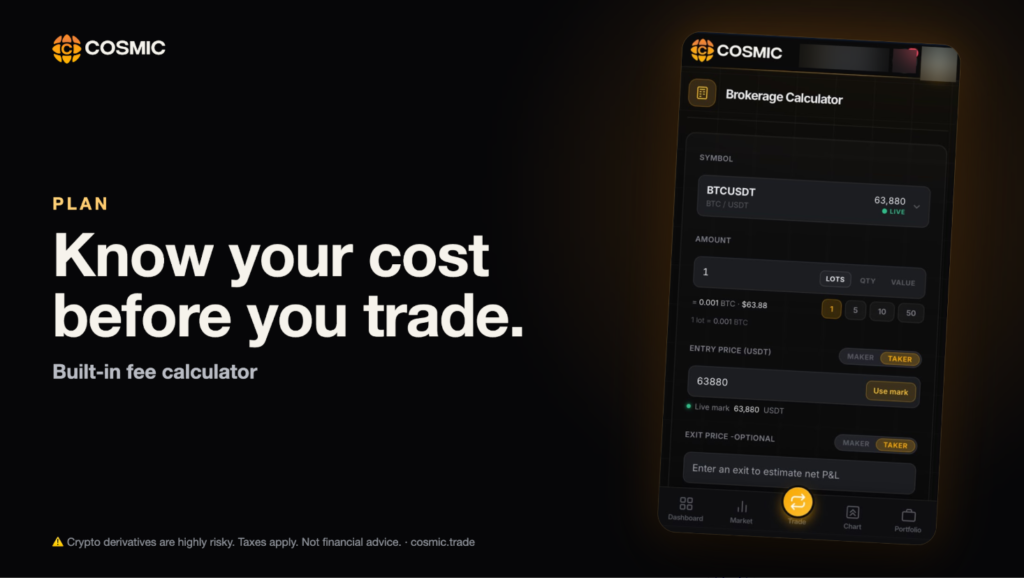
Step 1: Google Play Store Kholo
Apne Android phone mein Google Play Store app open karein. Make sure aap apne Gmail account se logged in hain.
Step 2: “Cosmic” Search Karein
Search bar mein “Cosmic” type karein aur search karein.
👉 http://👉 play.google.com/store/apps/details?id=trade.cosmic.mobile
Step 3: App Page Par Jaayein
App ki listing open karein. Aapko dikhega:
- App ka naam: Cosmic
- Developer: Eclipton
- Rating: 4.9 ⭐
- Category: Finance
Step 4: “Install” Button Dabayein
Green “Install” button par tap karein. App automatically download hona shuru ho jaayegi. File size chhoti hai isliye 1 minute se bhi kam time lagega normal internet connection par.
Step 5: Permissions Allow Karein
Install hone ke baad app kuch permissions maangega — jaise camera access (KYC document upload ke liye) aur storage. Yeh standard financial app permissions hain — Allow kar dein.
Step 6: App Kholo aur Account Banao
“Open” button dabayein. Ab:
- Apna Indian mobile number enter karein
- OTP verify karein
- KYC process complete karein (Aadhaar/PAN ready rakhein)
- Account verify hone ke baad — trading shuru! 🚀
Cosmic Trade Par Account Setup Kaise Karein?
App install karne ke baad in steps ko follow karein:
1. Register Karein Apna phone number enter karein aur OTP se verify karein.
2. KYC Complete Karein Aadhaar card aur PAN card ka photo upload karein. Yeh mandatory hai Indian regulations ke under.
3. Funds Deposit Karein INR mein direct deposit karein — UPI ya bank transfer ke through (app ke payment options check karein).
4. Trading Start Karein BTC/USDT, ETH/USDT jaise pairs choose karein aur perpetual futures trading begin karein.
Frequently Asked Questions (FAQ)
Q: Cosmic Trade app free hai? Haan, Google Play Store par download karna bilkul free hai.
Q: Withdrawal kitne time mein hoti hai? Google Play reviews ke hisaab se withdrawals fast process hoti hain. Exact time ke liye support@cosmic.trade se contact karein.
Q: Minimum deposit kitna hai? Yeh information app ke andar sign up karne ke baad available hoti hai. App install kar ke check karein.
Conclusion
Cosmic Trade Exchange app install karna ek simple 5-minute process hai. Agar aap India mein INR se direct crypto perpetual futures trade karna chahte hain — toh yeh app definitely try karne layak hai.
Abhi Google Play Store par jaao, Cosmic search karo, install karo — aur apna crypto journey shuru karo! 🚀
👉 Cosmic App Download Karein — Google Play Store
Published on Bulls Bulletin | Category: Crypto, Apps Disclaimer: Yeh article informational purposes ke liye hai. Yeh financial advice nahi hai.